The Center for Cultural Technology (CCT), is an educational community engagement partnership between the New Mexico Department of Cultural Affairs and New Mexico Highlands University.
Some CCT key objectives:
Website design and development overhaul. Improve engagement and user experience by uncovering user pain points within existing website
Lauren Addraio - Project coordinator
Doug Patinka - Website development co-contributor
The Center for Cultural Technology (CCT), website was fragmented and outdated. User experience was lackluster and engagement was low.
The original website was not based on a Content Management System (CMS). As a result, the task of performing even the most basic of updates or revisions to the website fell on the website manager. It was not unusual for days and even weeks to go by without recommended changes and updates being implemented.
This led to some of the following issues:
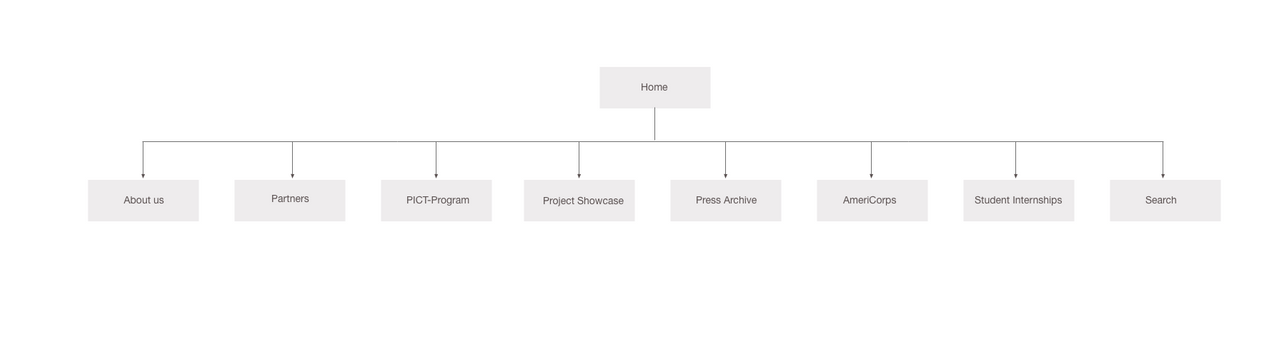
Additionally, new navigation structure was necessary in order to support the organization's ever-increasing growth.
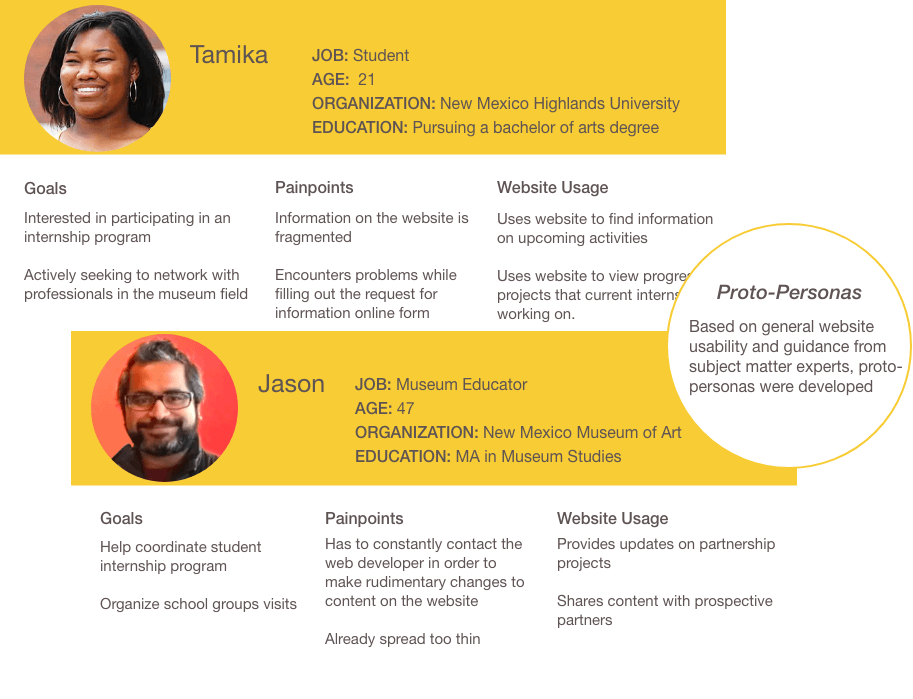
Working with limited resources and a limited budget, I created proto-personas based on guidance from subject matter experts. This enabled us to have a better grasp of users' pain points, motivations and goals.
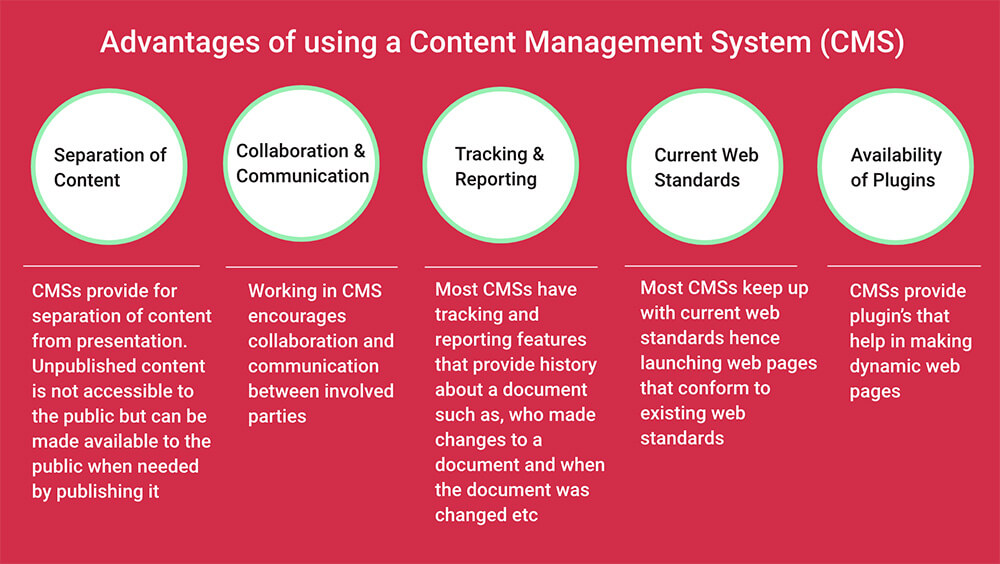
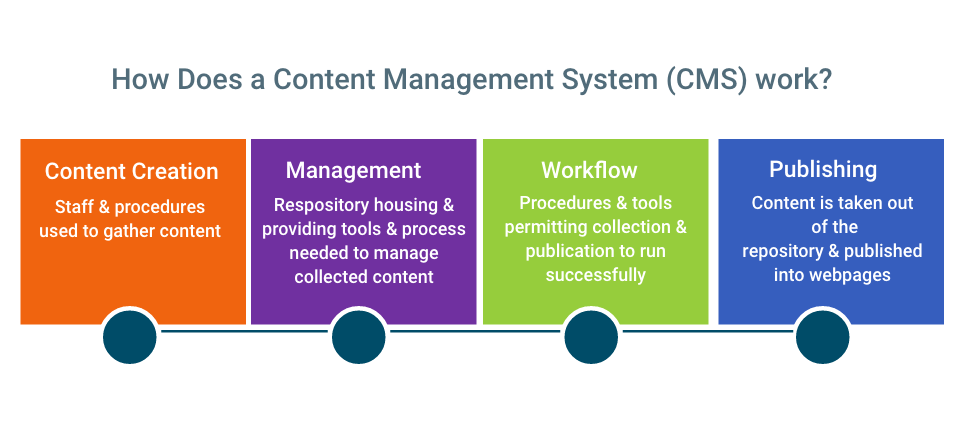
In order for the website to be more effective, it was imperative to tackle issues such as, ineffective visual hierarchy, outdated and fragmented content. Implementing a Content Management System (CMS) could potentially help alleviate the problem of outdated content. I did some research on Content Management Systems, in order to assess if the implementation of a CMS would be a viable option.
Open-source CMS
Commercial CMS
It turned out that implementing and maintaining a commercial CMS would be prohibitively expensive. With this in mind, our options were narrowed down to open-source CMSs.
Stakeholders came to the conclusion that MODx CMS would be the right platform for the new website. The decision was based in part, on the following:
Interview on MODx CMS.
Laurie Wilder is the Operations Administrator for New Mexico Arts.
I love using MODx for the simple fact it’s web-based. I can make site updates at any time from anywhere. This ability has made my job easier. The other biggest advantage for me is licensing. I previously used Dreamweaver. It would be cumbersome, and because of the high license cost, I couldn’t always get the upgrades I needed. This also constrained me to doing any and all updates from my office.
I can’t answer this question as I am a techie. I am also the only one at NMArts who uses MODx to update the website.
I am the only one who makes updates. I do not have any of the above difficulties.
I am no longer doing IT full-time so although I have the background, I’m not as current on everything as I used to be. The biggest challenge(s) for me are: 1) I still use the manual quite a bit as I’m not fluent yet. 2) I sometimes have to ask Doug to jump in and do something for me because it has to be done NOW and I don’t have the luxury of working it out with the manual on my own.
Again, I don’t feel qualified to answer this question for the reasons I gave for questions 2&4.
NMArts was one of the last divisions to have their website moved to MODx. Since Doug was the one setting up templates and ensuring the consistency between divisions, I didn’t use MODx in the early years.
Interview on MODx CMS.
Douglas Patinka is the Web manager for the New Mexico Department of Cultural Affairs.
From a developer's perspective, the great advantages of MODx are it's fairly simple templating system and the ease with which custom snippets—custom programs—can be integrated into the system. From a content manager's perspective, the "tree" structure through which documents are created and managed is intuitive and easy to use.
I can usually get people up to speed in content management in a two hour training session. For doing development work, the amount of time needed to learn the system is greater.
Making edits to existing pages is pretty straightforward. Oftentimes the only problems are that the system is too powerful and content managers have more tools available than they need. But getting used to a content management system always takes some time—especially when it comes to creating new resources.
Because it's not a complete system "out of the box"—meaning it requires the creation of templates and custom snippets might be a barrier to non-technical people. A system like WordPress can pretty much be live in an hour. This, however, is one of the reasons I like MODx—it's made to be customized. Documentation for contributed snippets and plugins is sometimes lacking. This is true, of course, for all open source systems. But because MODx has not spawned the type of industry that WordPress or Drupal have, it doesn't have quite the resources to expand and improve documentation.
Interview on MODx CMS.
Laura Lovejoy-May is the Special Events Manager at the Museum of International Folk Art On Museum Hill in Santa Fe, New Mexico
Skips the upload so editing is faster Streamlined organization of photos/graphic elements
For me, using MOD-X once a month to 2 weeks, it look about 3 months, with daily use I would estimate it would take 2 to 4 weeks.
Not that I am aware of.
it looks different!
Can’t think of any!
The newer version is easier than the previous version!
After evaluating the website for usability issues, I redesigned problematic interactions. The ability for trained staff members to make rudimentary changes to content on the CCT site without assistance from the web developer was imperative. In an attempt to solve this problem, I did the following:
I love using MODX Content Management System for the simple fact it’s
web-based. I can
make site updates at anytime from anywhere.
This ability has made my job easier. The other biggest advantage for me is
licensing. I
previously used Dreamweaver. It would be cumbersome, and because of the
high license cost, I couldn’t always get the upgrades I needed. This also
constrained me
to doing any and all updates from my office.
Research
Participant
Collaborating with the Deputy Chief Information Officer at the New Mexico Department of Cultural Affairs and AmeriCorps Cultural Technology Director at New Mexico Highlands University, I helped develop a plan to update the CCT's website, ensuring the new site would conform with new design standards and specifications.
I set out to create an intuitive navigation structure reflecting new initiatives and partnerships.
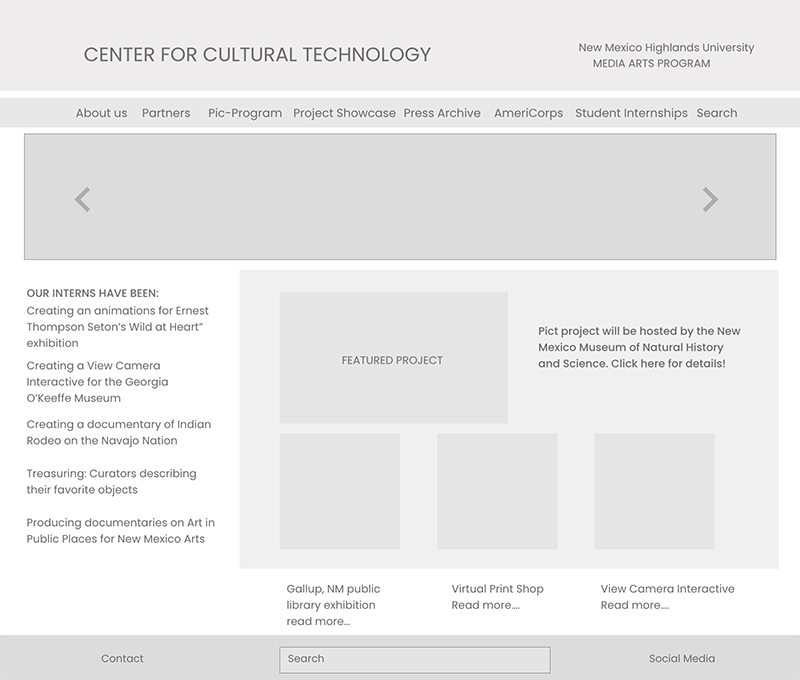
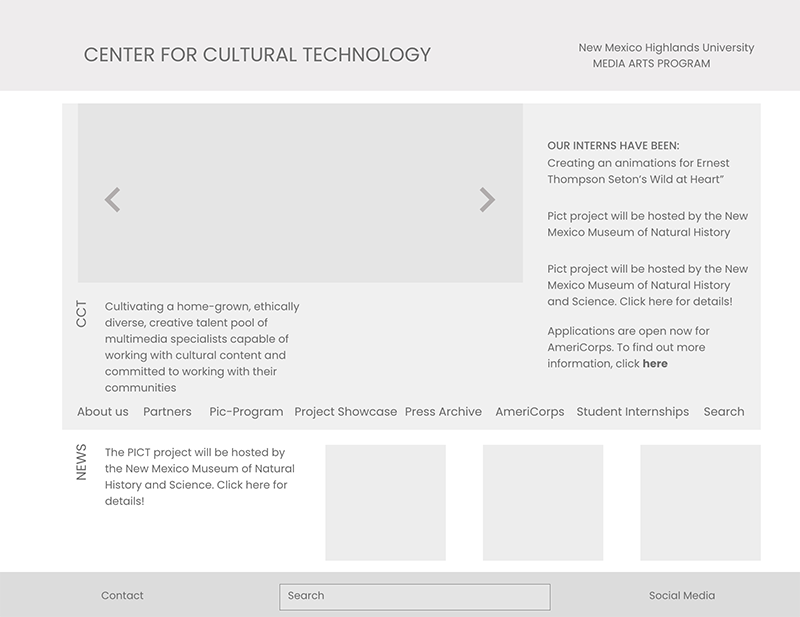
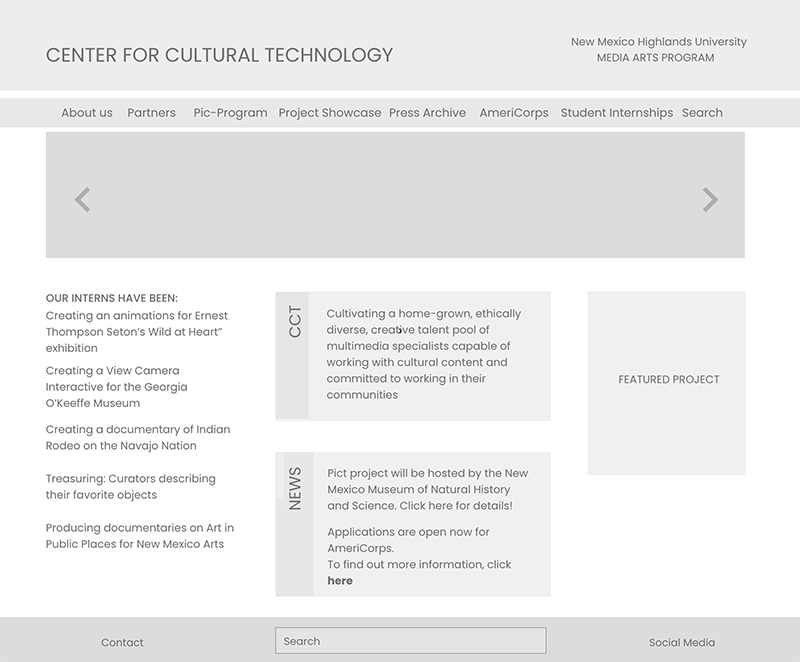
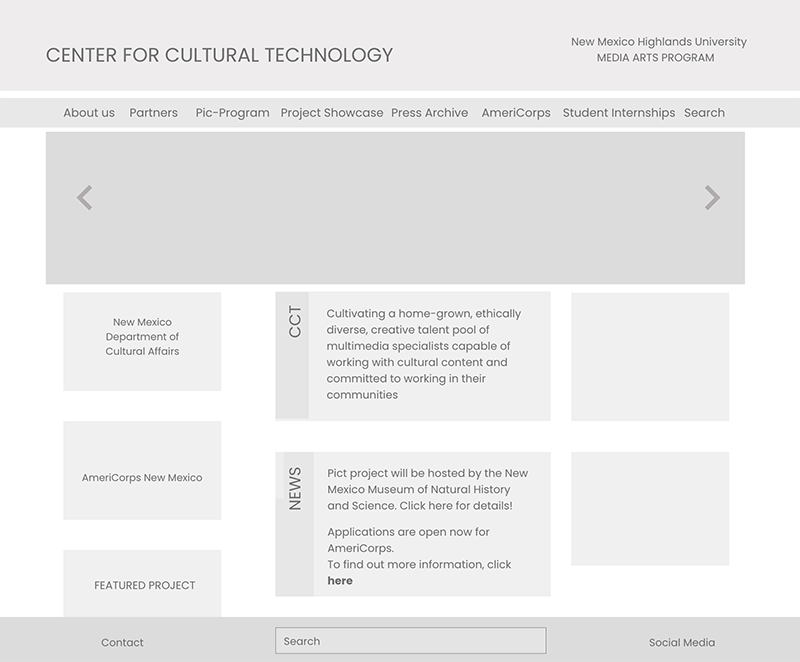
The Center for Cultural Technology received an updated website, with fresh, modern, user-friendly features that addressed user's needs. The use of MODx content management system alleviated the back-log of web edit requests and recommendations, which increased efficiency as well as productivity
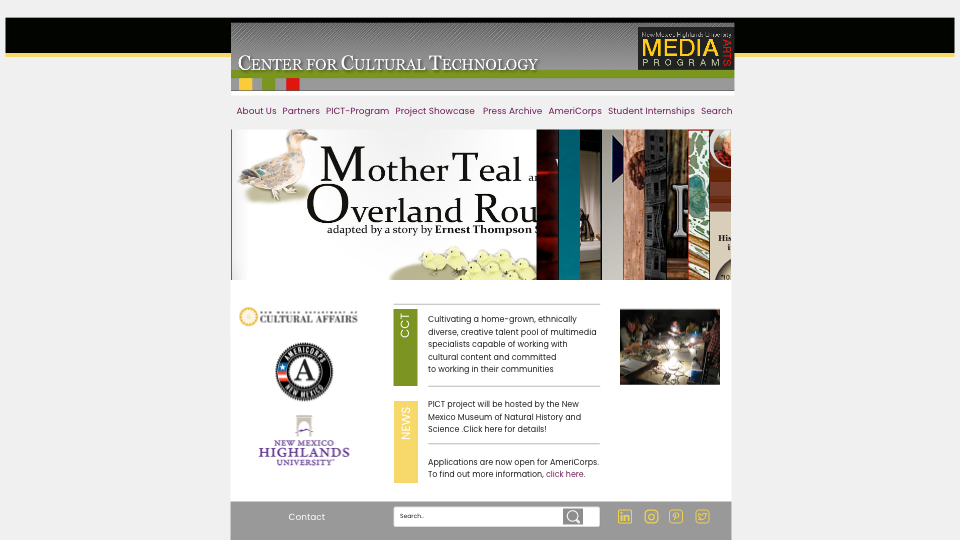
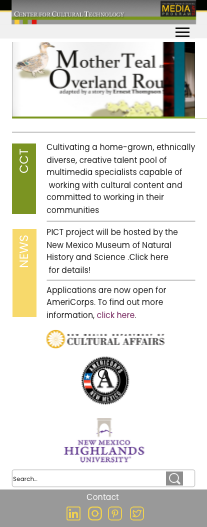
There was a notable improvement in usability as reported by both CCT program participants and site users. A common hurdle to overcome was to make sure that the Center for Cultural Technology branding and identity is clearly maintained throughout the website. This is due to the fact that a lot more people were involved in posting content, and this called for more oversight and technical support
The site was easily expanded in future iterations to adjust for the organizations continuously evolving needs.